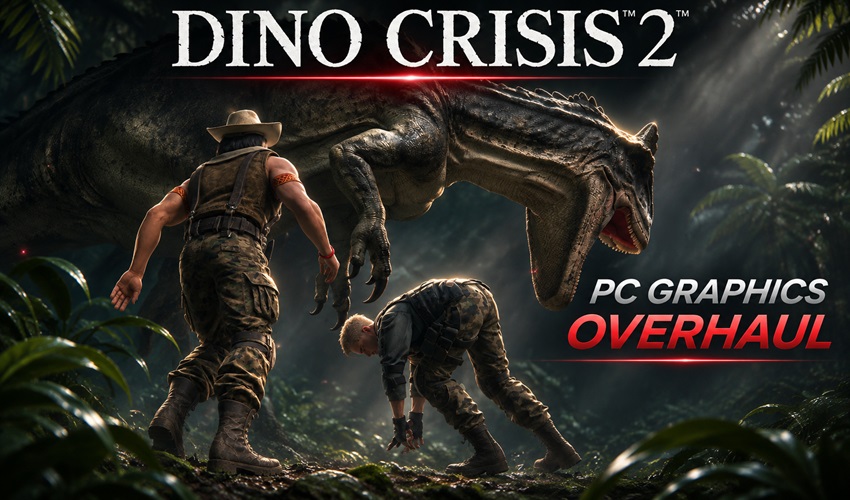
Dino Crisis 2 has received a major graphics upgrade on PC, bringing Capcom’s dinosaur action game much closer to modern visual standards. A new modification called 3DD Mod replaces the original character and dinosaur models, sharpens the environments and introduces improved lighting, combat effects and controls. The difference is particularly noticeable during dinosaur encounters, where more detailed creatures, dynamic lighting and new damage effects give the action a fresh appearance. The mod comes from developer Suneater101, who has worked across the entire game rather than concentrating on a few locations. It covers the main campaign, cutscenes and additional modes, with support for the Steam and GOG versions. Players can switch between the original and upgraded graphics during gameplay, making it easy to see exactly what’s changed.
Every location gets sharper backgrounds
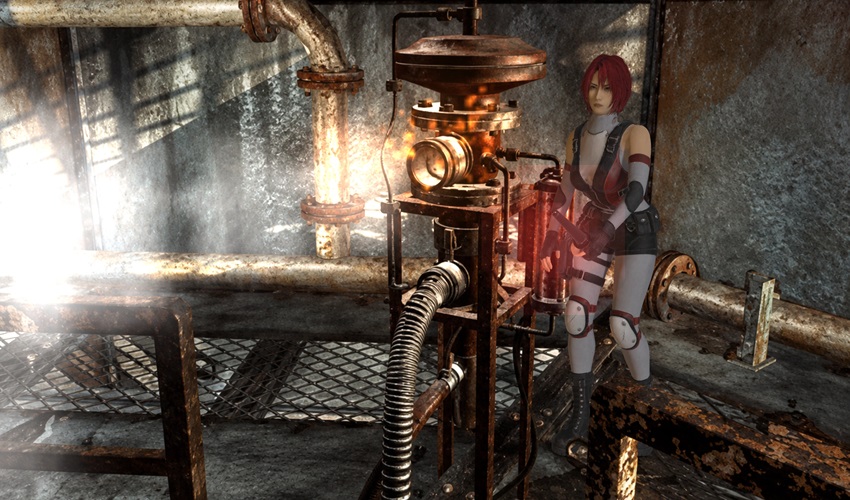
The environmental overhaul is extensive. The mod updates 86 rooms and replaces 1,165 fixed-camera views with high-resolution artwork. Corridors, research facilities, jungle areas and other locations now have sharper textures and clearer environmental details.
It’s not a simple texture replacement, either. The developer has updated the foreground masks used to place characters behind scenery. These control how Regina, Dylan and the dinosaurs appear when moving past vegetation, railings and other objects.
The original camera angles remain in place, so exploration works much as it did in the original release. What changes is the clarity of the environments, particularly on higher-resolution monitors where the older backgrounds can appear noticeably blurry.
The dinosaurs have received some serious attention
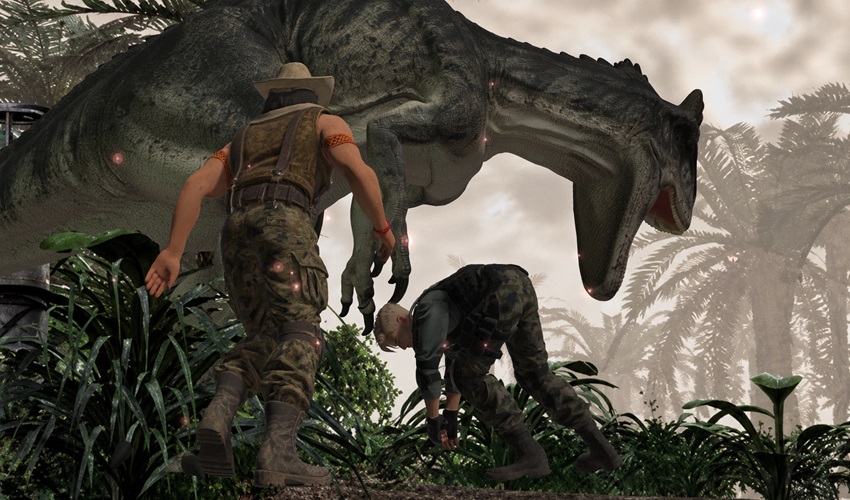
The dinosaurs are probably the most immediately noticeable part of the upgrade. The mod replaces the models for 11 dinosaur types, giving them more detailed bodies, updated textures and improved facial features.
Their eyes move, their mouths have more detail, and their facial animations are more convincing. During combat, the new models work alongside updated blood and damage effects, making encounters visually busier than before.
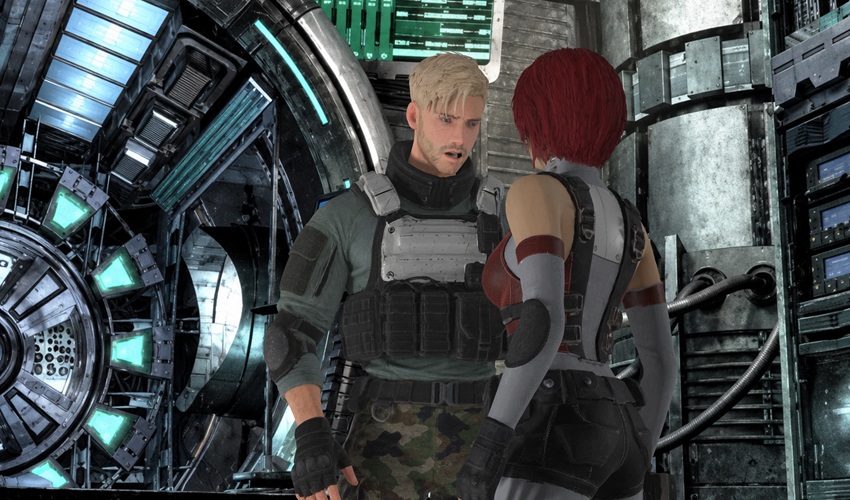
The main characters haven’t been ignored. Regina, Dylan, David and Paula receive redesigned models, with moving pupils, blinking eyes, visible teeth and improved mouth animations during conversations. Vehicles and equipment get similar treatment. The jeeps, tank, weapons and diving suit have received new models or visual improvements.
The original animations remain, though. This is a graphics modification rather than a complete gameplay remake, so the characters and dinosaurs still move and behave according to the existing game systems.
Combat gets more dramatic lighting and effects
There are quite a few changes during combat, and some are easier to spot in motion than in screenshots. Weapons produce muzzle flashes capable of lighting nearby characters and scenery. Explosions generate extra smoke and debris, and dinosaurs display more detailed wounds, blood effects and burn marks.
The environments respond to these changes too. Lava produces a stronger glow, steam rises from certain areas, bubbles appear underwater and larger dinosaurs can kick up dust as they move. Character shadows have received improvements, with softer shading and more natural placement on the ground. Anyone who prefers the original circular shadows can still select them in the settings. The tank sections have received extra work, including animated tracks and revised cannon effects.
There’s a 60fps option, but with a catch
The mod introduces an option to render its updated 3D models at 60 frames per second. It sounds like a straightforward frame-rate upgrade, but there’s a technical limitation. The original game logic continues running at 30fps. Only the modified 3D model rendering benefits from the higher frame rate, so this isn’t a full 60fps conversion.
Players can switch between the two modes with F7. It’s a useful addition for anyone playing on a modern display, particularly when combined with the sharper character models and updated combat effects.
Widescreen support and more flexible controls
The mod makes several practical changes outside the graphics department. Players can customise controls and choose between the original tank-style movement and camera-relative controls. The right analogue stick can be used to adjust the camera within the limits of the existing system.
Widescreen support is included, though the implementation crops the original 4:3 picture rather than displaying a wider section of the environment. Players can keep the image centred or have it follow their character. There are high-resolution 4:3 options for modern monitors too, including 4K displays.
Menus, extra modes and graphics switching
The upgrade reaches the interface, with revised inventory screens, maps, weapon displays, health indicators and save menus. Dino Colosseum and Dino Duel, the two Extra Crisis modes, receive visual improvements of their own. Players can replace the in-game video files through a dedicated folder without modifying the originals.
The configuration menu opens with F5 or the controller’s right stick, providing access to the mod’s various settings. One particularly useful feature is the ability to press F8 and switch between the original graphics and the updated presentation during gameplay.
For PC players returning to Dino Crisis 2, the mod offers a substantial selection of visual improvements without changing the campaign’s structure or core mechanics. From redesigned dinosaurs to sharper environments and revised controls, it’s a comprehensive update for the Steam and GOG releases.
MORE AMIGA & RETRO NEWS
 Capcom’s Cadillacs and Dinosaurs gets an unexpected Neo Geo release
 The Lost World: Jurassic Park gets a native PC port nearly 30 years after its Arcade debut
 Dino Crisis Modern Edition gives Capcom’s survival horror classic a major PC upgrade
 Turok VR turns the 1997 dinosaur shooter into a full VR experience
 Primal Repairs turns dinosaurs into tools in a funny new PC repair simulator
 Turok: Origins preview – why this sci-fi dinosaur shooter deserves attention
 Jurassic Park at 33: the Commodore Amiga’s forgotten Hollywood role
 From Kick Off to Goal!: Dino Dini’s lasting impact on football games
 Duke Nukem 3D looks like a modern remaster thanks to new path tracing mod
 Why Repterra looks like a must-watch retro RTS game in 2026
 50 Amazing games you can play on AmigaOS 4 and AmigaOne computers
 50 Classic Commodore 64 games that made the C64 the king of 80s gaming
 The 50 best Amiga games of all time: a nostalgic journey through the Commodore era
 Retro survival horror Dino Crisis series roars back to life on Steam
 Capcom registers Dino Crisis trademark in Brazil: hint of a comeback?