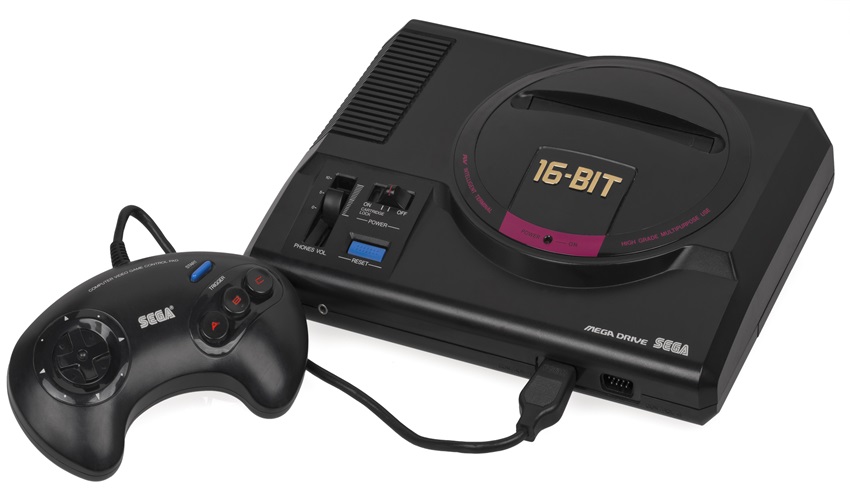
I’ve seen some wonderfully strange things running on the Sega Mega Drive over the years, but this one genuinely caught my attention. A proper desktop operating system. On Sega’s 16-bit console. Complete with windows, a Start menu, Python, BASIC, a file manager and multitasking. It’s called MXOS, and developer Mauro Xavier has managed to squeeze an impressive amount of computer functionality into hardware best remembered for Sonic the Hedgehog and Streets of Rage. And the best part? This isn’t a modern computer pretending to be a Mega Drive. MXOS runs on the console’s original Motorola 68000 processor, operating at approximately 7.6 MHz. The same chip responsible for countless afternoons of 16-bit gaming is now being asked to manage desktop applications, compile programs and play music during editing sessions.
The Mega Drive has a Start menu now, and it’s wonderful
The first surprise is how much MXOS resembles a traditional desktop computer. It comes with two operating environments, DOS and WIN, each offering a different way to interact with the console.
DOS provides a familiar command line with DIR, CD and COPY commands, batch-file support and 40- or 80-column text modes. It’s recognisable territory for anyone who spent time typing commands into an old PC.
WIN is considerably more ambitious. There’s a graphical desktop with movable windows, icons, a taskbar, Start menu, control panel and customisable cursors. Alt+Tab switches between applications, and a Task Manager lets you inspect running programs. Yes, there’s multitasking.
MXOS uses separate memory banks to handle multiple processes, allowing music to continue playing during a programming session. Applications can occupy individual windows or switch to full-screen operation. Seeing traditional desktop behaviour running on a Mega Drive is a rather lovely technical surprise.

Original hardware, with a little help
Of course, an untouched Mega Drive can’t run MXOS straight from an ordinary game cartridge. The operating system requires an EverDrive X3, providing SD card storage and extra memory. Files use the FAT file system, complete with long filename support, so transferring compatible material from a modern PC is straightforward.
A BlueRetro adapter provides Bluetooth keyboard and mouse support. Traditional controllers still have their uses, but typing BASIC commands with a keyboard seems much more comfortable. There’s an emulator route, too. A prepared BlastEm package with virtual SD card support lets users experiment with MXOS without original hardware. Personally, the prospect of seeing a familiar Mega Drive connected to a keyboard, with a desktop running on the television, is the part I find most appealing.
Python and BASIC on a Sega console? Absolutely
Here’s where MXOS becomes particularly interesting. Xavier has included an MSX-BASIC-compatible interpreter with graphics, sprite, audio and file commands. It can work with Mega Drive hardware features, including 16-colour sprites and the console’s 512-colour palette.
There’s a second BASIC environment inspired by GW-BASIC and QBasic, featuring 16-colour CGA-style graphics. But the TURBO compiler deserves attention. It converts selected BASIC sections into native Motorola 68000 machine code directly on the console. Xavier reports speed improvements of 10 to 50 times for typical loops, an intriguing claim awaiting broader independent testing.
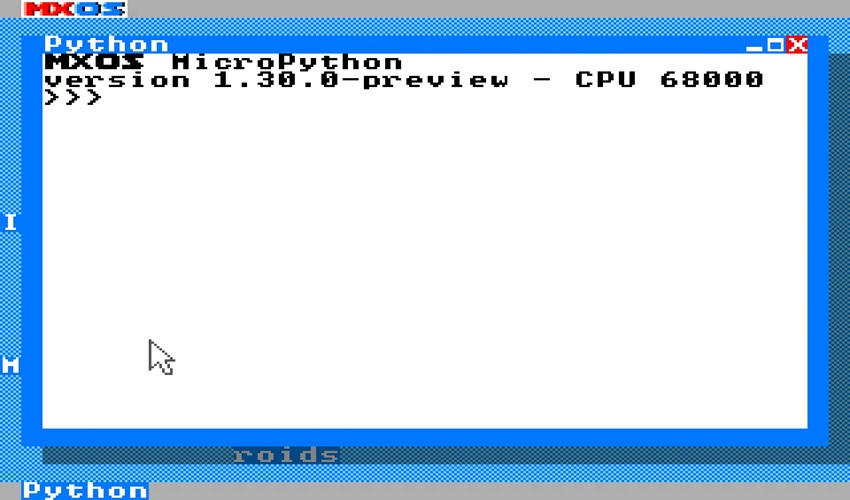
MicroPython joins the programming selection, offering graphics, sprites, FM audio and VGM playback functions. More experienced developers can use the included 68000 assembler, disassembler and machine-code monitor. Writing software on the Mega Drive, compiling it on the Mega Drive and running it on the Mega Drive. There’s something deeply satisfying about the entire process.
It’s packed with applications, too
MXOS goes further than a programming environment. There’s a syntax-highlighting text editor supporting BASIC, Python and assembly. Press F5 to execute code. A sprite editor exports graphics into different programming formats, and Paint provides 16-colour drawing tools.
An image viewer handles BMP and PNG files using dithering, and a video player streams footage from SD card storage. Music enthusiasts get VGM and VGZ playback alongside MOD, S3M and XM tracker files, supporting up to eight channels. File management utilities handle searching, compression and ZIP or TAR archives. I particularly like the idea of editing code with music playing in another process. It’s such an ordinary desktop activity, yet on this hardware it becomes genuinely fascinating.
There’s still room for a few games
MXOS includes Heavy Rocks, a mining game involving falling boulders and enemies, alongside Banana Jump, a platformer built around collecting bananas and avoiding hazards. Both were created using BASIC and the TURBO compiler. Their source code remains editable, allowing users to examine the programs or modify them directly.
Spaceroids, Invaders, Solitaire and Mines round out the selection. It’s a clever way of demonstrating the development tools without relying entirely on technical examples.
I really want to see where MXOS goes next
MXOS remains under development, with no confirmed date for wider release. Xavier plans to make it available to supporters once it’s ready. There are still practical questions surrounding performance, stability and compatibility. A complete desktop experience on a 7.6 MHz processor inevitably comes with limitations, and proper testing will be interesting. But I love projects like this.
Not for some grand claim about replacing modern computers. Nobody needs a Mega Drive for word processing or Python development. What makes MXOS interesting is the sheer amount of functionality running on a console originally intended for cartridge games.
A Start menu, multiple programming languages, file management, games and multitasking, running on Sega hardware from another era. Thirty-six years after its European launch, the Mega Drive is doing something I never expected to see. And frankly, I can’t wait to try it.
MORE AMIGA & RETRO NEWS
 Mega Man Arena grows with new characters, stages and online multiplayer features
 Latest Mega EverDrive update refines Paprium and Super 32X compatibility
 Atari TOS comes to Sega Mega CD through EmuTOS
 41 years of Commodore Amiga: 41 facts about the legendary computer
 Prehistorik 2 now runs natively on Windows, Linux and macOS
 This new Mega Man X6 PC build makes the brutal PS1 classic feel sharper than ever
 Linux boots on Sega Mega Drive in impressive 16-BIT console hack
 Sega Mega Jet: the Mega Drive built for Japan Airlines
 Why Norton Commander became a legendary MS-DOS file manager
 What was Lindows? The story of the Linux distro Microsoft took to court
 The story of GORILLA.BAS, the MS-DOS artillery game that taught BASIC
 MicroPython 1.28.0 for AmigaOS adds practical scripting tools
 Retro reverse engineering for beginners: ROMs, hex editors, assembly, and emulators
 Mega Pang for Sega Mega Drive: a new homebrew tribute to Super Pang
 50 Classic Commodore 64 games that made the C64 the king of 80s gaming